Who writes it
We are a small editorial team. this path are not the 7-Zip project maintainers, and they do not ship a fork of the binary. We verify install commands and document features that appear on the official site, licence text, and release notes.
7zip is an independent install guide for 7-Zip on Windows. It links every installer to the official 7-zip.org download, GitHub release, and winget package.
How guides are verified
We re-read microsoft/winget-pkgs for 7zip.7zip, the GitHub Releases asset list, and the project licence when a new tag appears. Commands that were not executed on a physical Windows PC stay marked UNVERIFIED in RESEARCH.md until a real run confirms them.
Why 7-Zip
Criteria: public source, LGPL-2.1 licence text, a winget id with a clear Windows x64 installer story, and an official site that documents formats and commercial-use permission. If a better-maintained Windows option appears with clearer packaging for the same job, we would say so in editorial updates.
How the site is funded
Advertising and partner slots follow the disclosure page. Today ads are off unless the live config enables them. Details: advertising disclosure.
Corrections
Wrong commands, stale asset names, or accessibility problems go through contact. We fix factual errors after we verify them against upstream sources.
Verification checklist for about
Confirm the Windows x64 path before you change archive defaults. Winget id 7zip.7zip and the official 7z*-x64.exe name pattern are the two anchors. If a page or mirror asks you to run a renamed helper first, stop and return to 7-zip.org or GitHub Releases.
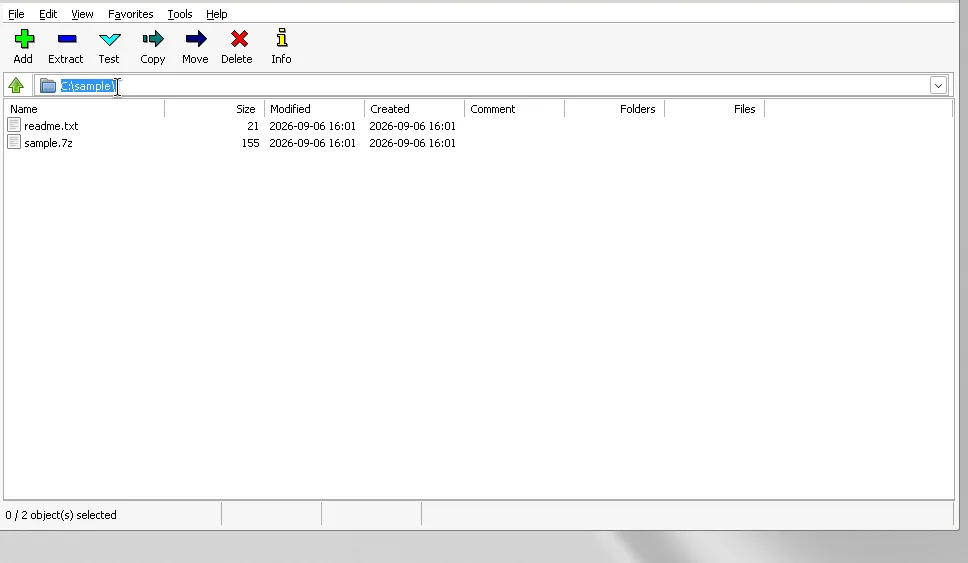
After install, open File Manager once, extract a small trusted archive, and create one sample 7z. Those three clicks prove the local build works without involving cloud accounts. Keep shell integration only if you want Explorer menus.
Related routes on this cluster
Use Windows install when the command fails. Use download-safe when search results look noisy. Use releases when you need the file map. Use vs WinRAR for a licence-aware comparison that does not invent competitor prices. Use first hour right after the installer finishes.
Editorial review dates come from the stamp. Release tags come from the GitHub feed baked into the build. Public sentences still say the current release rather than freezing a screenshot number in body copy.
Update discipline
Prefer one install door per PC. Winget upgrade keeps package identity stable. An exe reinstall from the current official tag replaces the machine-scope build cleanly. Remove abandoned portable folders so shortcuts cannot resurrect an old binary.
If App Installer is missing, install it from Microsoft, reopen Terminal, and retry winget. If your fleet requires MSI, take 7z*-x64.msi from the same official tag as a supporting asset. Other architectures exist on that tag; this cluster maps Windows x64 first.