By 7zip editorial team · Last verified [date] · Current release [tag]
Trust doors
Prefer 7-zip.org, ip7z/7zip releases, and winget install -e --id 7zip.7zip. Softonic-style pages that wrap the name are the wrong door.
Licence honesty
Most code is LGPL-2.1. Some parts use BSD licences. RAR decompression includes an unRAR restriction: you may not use that code to build a RAR compressor. Read license.txt.
Updates and CVEs
Install the current release. When upstream names a CVE in release notes, treat that as a reason to update, not a reason to invent severity scores. Releases.
Practical checks before you rely on it
Open a new Windows Terminal after install so PATH updates from App Installer can load. When you use winget, you can run winget show with package id 7zip.7zip to confirm the manifest still points at an official InstallerUrl. When winget is unavailable, open the official download table and take the Windows x64 exe whose name matches the 7z*-x64.exe pattern.
Keep personal documents out of the first extract test. Use a throwaway folder under Downloads or a temporary directory you can delete. That habit makes nested folders obvious. After Extract finishes, open the output path in Explorer and confirm the expected files landed before you delete the sample archive.
File Manager habits that prevent surprises
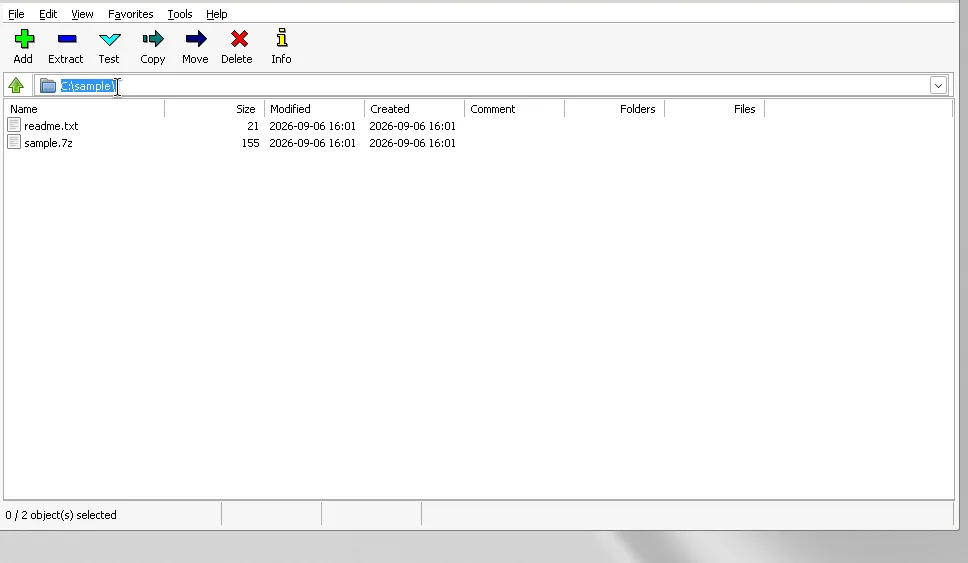
The toolbar Add and Extract buttons cover most desks. Double-clicking an archive inside File Manager opens it like a folder, which helps when you only need one file. For encrypted archives, the password prompt appears before unpack continues. Cancel if you did not expect encryption on that sample.
Shell integration is optional. If Explorer menus feel crowded, revisit installer options or Tools settings on a machine you control. Do not download a second unofficial build just to change a menu checkbox. Prefer the same official channel you already trust.
Keeping updates boring
Bookmark the releases page on this cluster and the official GitHub Releases list rather than a random mirror. When winget reports an upgrade, read the tag notes if you care about format fixes, then upgrade. When you installed from exe, download the current x64 exe again and run it over the existing machine-scope install.
If you ever unpacked a portable folder for a one-off job, delete that folder after you switch to Program Files so you do not launch an old binary by accident. Mixing portable and machine-scope copies is the usual reason people think an update did nothing while a shortcut still points at a stale path.
Neighboring guides worth opening next
Use the Windows install walkthrough when winget is missing. Use download-safe when a search result looks like a countdown timer. Use releases when you need to distinguish exe, MSI, x86, and ARM64 names on the same tag. Use the WinRAR comparison when someone asks about licences without handing you a price to invent. Use first-run and extract guides when File Manager is new on the desk.
Match the Windows x64 build against the current official release and winget id 7zip.7zip before you change unrelated system settings. That single verification step prevents most bad downloads on day one.
Troubleshooting the usual first-week issues
If winget cannot find the package id, update App Installer from Microsoft and open a new Terminal window before you retry. If the exe installer exits early, confirm you launched the x64 file on a 64-bit Windows install and that UAC actually approved the elevation prompt. If File Manager opens then closes, reboot once after a machine-scope install and try the Start menu shortcut again before chasing unofficial builds.
Checksum checking is optional for many home desks and useful on locked-down fleets. GitHub release assets expose digests through the API. Compare with Get-FileHash -Algorithm SHA256 in PowerShell against the digest for the asset you chose. That habit pairs well with the download-safe rules on this cluster.
What success looks like on day one
You can open File Manager, browse into a zip, extract to a folder you control, and create a small 7z from a sample directory. Explorer menus appear only if you kept shell integration. Updates go through the same door you used to install. No account creation step sits between you and that workflow according to the official licence notes for normal desktop use.
When a colleague asks for a WinRAR comparison, send them to the vs page on this cluster instead of inventing a store price. When they ask which file to download, send them to releases and the 7z*-x64.exe pattern. When they ask whether the tool is safe, send them to the safety guide and the official licence text.
Frequently asked questions
Where should I download?
Use 7-zip.org, GitHub releases for the ip7z project, or winget id 7zip.7zip. Prefer the Windows x64 exe name pattern. Read the download-safe guide when search results look noisy or renamed.
Is it free?
Official licence notes describe LGPL terms for most code and free use on any computer including commercial ones, without a register-or-pay step for 7-Zip itself on a normal desktop install.
Does this change the winget id?
No. The Windows package id stays 7zip.7zip inside microsoft winget-pkgs. Confirm that exact id before you accept a differently named package from a noisy search result list on the web.